

All docs
Robots.txt
Before a crawler reads your site, it reads /robots.txt, a plain file in your site's root that says who may come in. Search engines, AI companies and SEO tools all send their own crawlers, and each one looks for its own name in that file.
The crawlers do different jobs, and that is the whole reason to answer them one by one. One collects your pages to train next year's AI model. Another fetches one page this second because a person asked an assistant about you. A third builds a competitor's backlink report. You may well want the second and not the first.
Robots.txt is the last screen under SEO in the sidebar. It has three numbered sections.
Let AI Boost write into the file
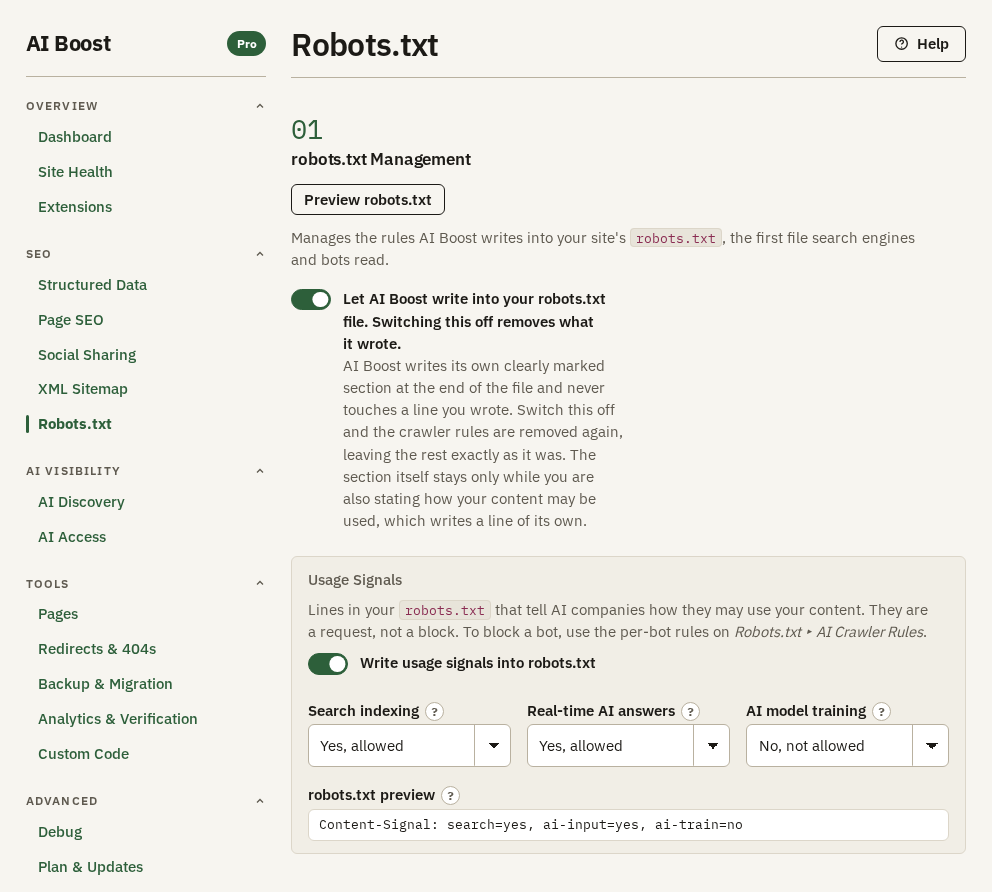
Switch on Let AI Boost write into your robots.txt file. Switching this off removes what it wrote. It is off when you install, because it changes a file on your server.
AI Boost then keeps one marked section at the end of your robots.txt, as soon as there is something to write in it. It never touches a line outside that section, so your own rules, and the rules Joomla ships with, stay exactly as they are. Switch it off and the section goes, leaving the rest of the file as it was.
Preview robots.txt shows what your answers produce before any crawler reads them. After a change, AI Boost rewrites its section on the next visit to your site.
Usage signals
The Usage Signals part answers a different question, what a crawler may do with what it reads. Write usage signals into robots.txt adds a short group to the file, ending in one line that carries each answer you set to Yes or No.
- Search indexing, for building a search index that sends people to you.
- Real-time AI answers, for feeding a page into an assistant's answer to a question asked right now.
- AI model training, for using your content to train a model.
Each takes Yes, allowed, No, not allowed or No preference, which writes nothing. The hotel allows the first two and refuses training, and the line reads Content-Signal: search=yes, ai-input=yes, ai-train=no.
The format is Content Signals, published by Cloudflare. The IETF's AIPREF working group is drafting a standard of its own, so the wording may still change. Like everything in robots.txt the line is a request, which a crawler that honours it respects. To ask one crawler to stay out altogether, use the per-crawler answers below.
AI Crawler Rules
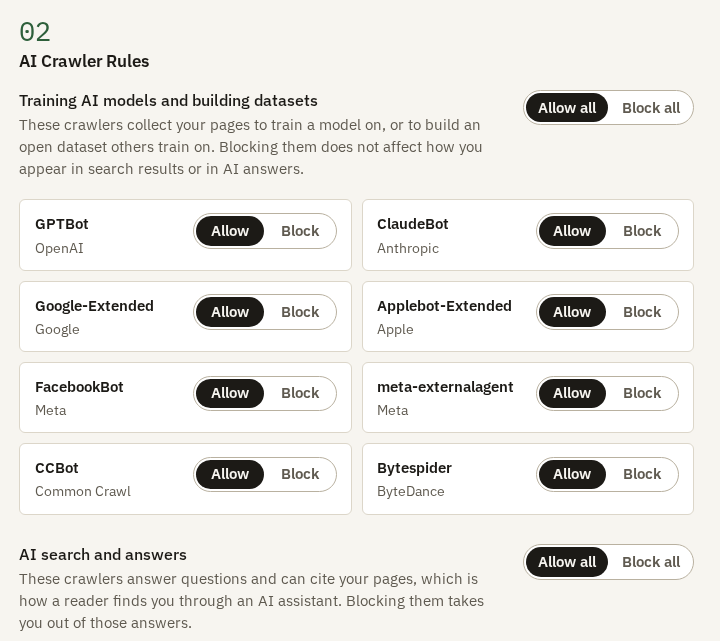
This section names the 17 AI crawlers AI Boost can write a rule for, in three groups by the job they do.
| Group | Crawlers | What blocking them costs you |
|---|---|---|
| Training AI models and building datasets | GPTBot, ClaudeBot, Google-Extended, Applebot-Extended, FacebookBot, meta-externalagent, CCBot, Bytespider | Little you can see. You stop contributing to future models, though meta-externalagent also fetches pages for Meta's own AI products. |
| AI search and answers | OAI-SearchBot, Claude-SearchBot, PerplexityBot, bingbot, DuckAssistBot, YouBot, Amazonbot | You drop out of the answers those assistants give. |
| Live browsing at a reader's request | ChatGPT-User, Claude-User | A reader who asks an assistant to open your page gets nothing. |
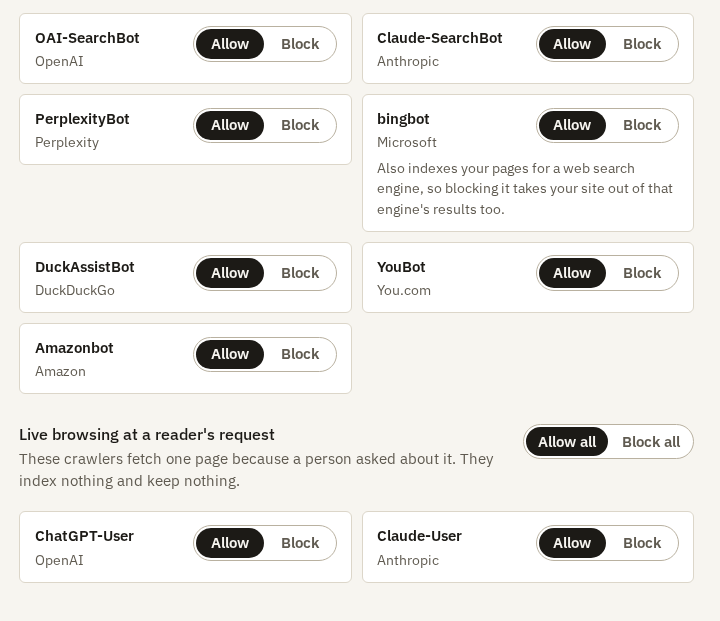
Each crawler takes Allow or Block, and each group has Allow all and Block all. Answer a group at a time. A blanket answer treats the assistant fetching your page for a reader this second the same as the archive collecting it for next year.
One row carries a warning worth reading. bingbot is Microsoft's AI crawler and also the crawler behind ordinary Bing search, so blocking it takes you out of Bing's results as well.
Googlebot is not on the list. Blocking it would take your site out of Google search altogether.
SEO tools
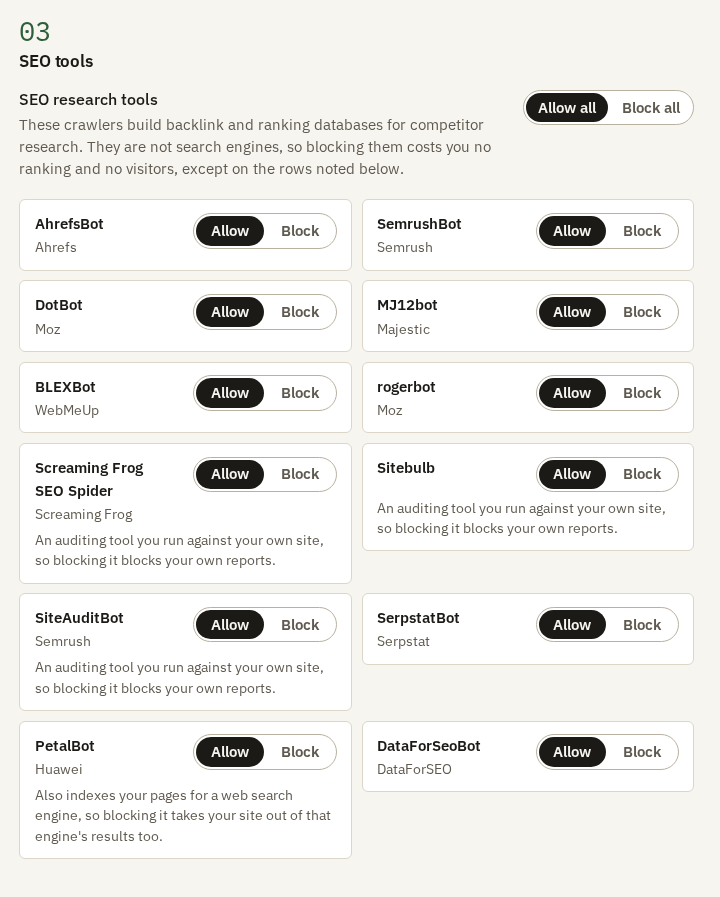
The last section takes the same answers for 12 crawlers that build backlink and ranking databases for SEO tools, such as AhrefsBot and SemrushBot. They are not search engines, so blocking them costs you no visitors, and on a small server it takes their traffic off it.
Read the notes before Block all. Screaming Frog SEO Spider, Sitebulb and SiteAuditBot may be tools you run against your own site, and blocking them blocks your own reports. PetalBot also indexes pages for Huawei's search engine.
What AI Boost writes
The hotel's file keeps Joomla's own lines and ends with this section:
# BEGIN AI Boost for Joomla - managed block (aiboostnow.com)
# Written by AI Boost from your settings. Change your settings, not this block. Anything you write outside it is left alone.

# AI crawlers
# None of these is being asked to stay out.

# SEO tools and audit crawlers
# None of these is being asked to stay out.

# How this site's owner asks automated systems to use its content.
User-agent: *
Content-Signal: search=yes, ai-input=yes, ai-train=no

# Sitemap
Sitemap: https://example.com/sitemap.xml
# END AI Boost for Joomla - managed block
Block GPTBot and a group appears under the AI crawlers heading:
# GPTBot (OpenAI) - collects pages to train a model on
User-agent: GPTBot
Disallow: /
Among the crawler rules, AI Boost writes a group only for a crawler you block. It never writes an Allow line, so its section cannot loosen a rule you wrote yourself. The Sitemap line appears while the XML Sitemap is on.
Check it on your site
Open /robots.txt on your domain. If the section is missing, a caching plugin or your host's cache may be serving an old copy, so clear it and look again.
To see what the file does to each AI crawler, open AI Access. It reads the robots.txt file on your server and says, for every crawler, whether it is allowed or blocked and which line decided it, including a line you wrote yourself outside AI Boost's section.