

All docs
Custom Code
Some services ask you to paste a snippet into every page, a chat widget, a heatmap tool or a consent banner. Pasting it into the template works until the template updates and the snippet disappears. Custom Code holds it in AI Boost instead and writes it into every page.
It is the last screen under Tools in the sidebar. Only a Super User can change it, because what goes in here runs on every page of your site.
Nothing you paste here is checked. AI Boost only closes an HTML comment you left open. A missing closing tag in the head can break the layout of every page, not one setting. Paste what the service gave you, whole, and check the site afterwards.
Switch it on
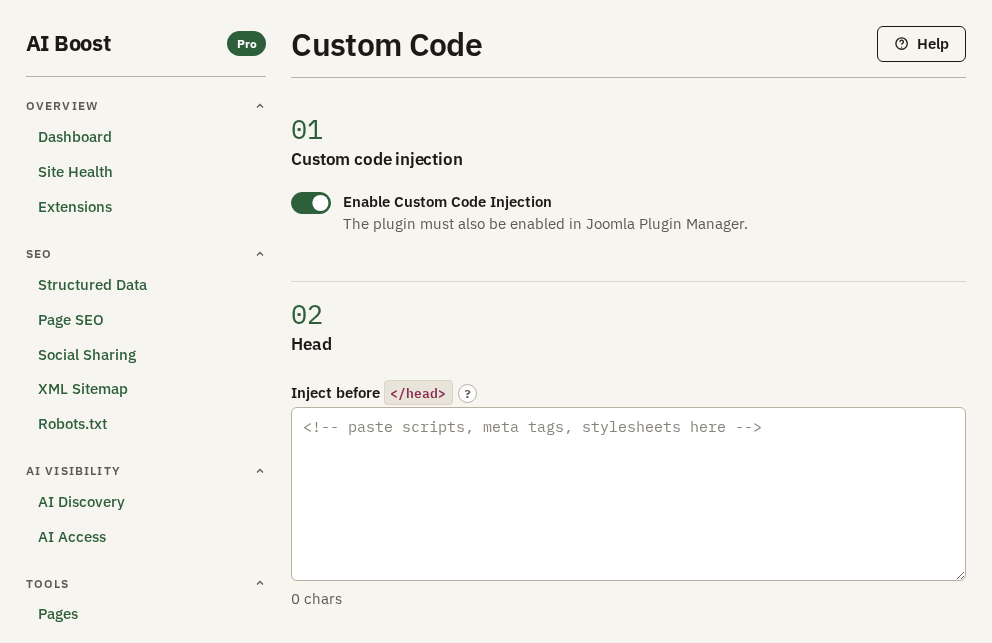
Enable Custom Code Injection is off when you install. Nothing in the three boxes reaches a page until it is on, so a snippet can wait here while you make sure it is right.
The three positions
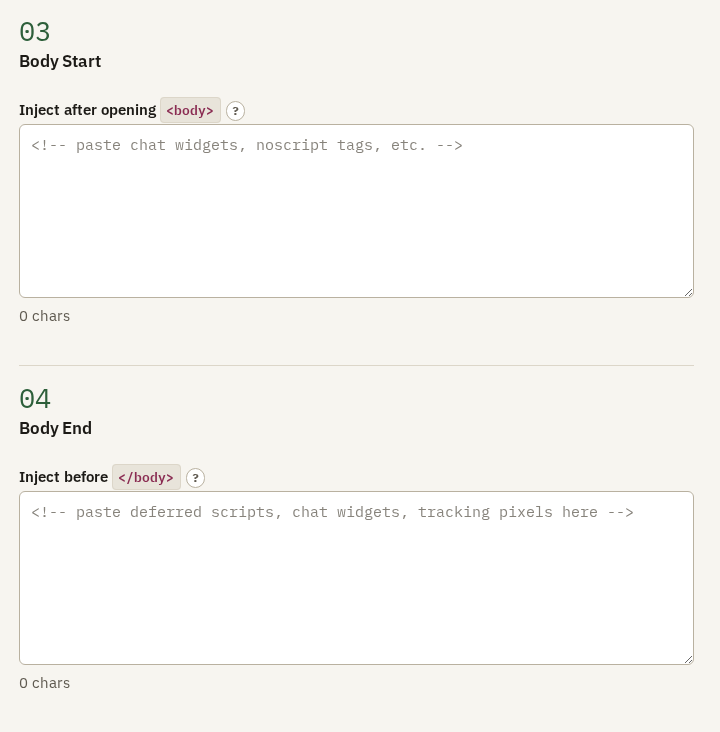
Each box puts its code at one position in every page.
| Box | Where the code goes | What belongs there |
|---|---|---|
| Head | just before </head> | Anything the page needs before it draws, a stylesheet or a font. It comes after AI Boost's own analytics tags, so a consent script that must run before those does not belong here |
| Body Start | just after <body> | Almost nothing. A few tools insist on being first in the body. Tag Manager's noscript fallback is not one of them, because AI Boost writes it once you enter a container ID and switch on Measure visits |
| Body End | just before </body> | Anything that can wait, a chat widget, a feedback button, a script that may load after the page |
Prefer Body End when a service allows it. A script at the end does not hold up what the visitor came to read.
The box counts the characters you pasted and warns when a tag is left open or a bracket does not close. A snippet with no warning can still be wrong, so check the site after you paste.
A worked example
The hotel adds a booking chat widget. Its provider gives one line and says it may go at the end of the page:
<script src="https://chat.example.com/widget.js" data-hotel="aldwick" async></script>Paste it into Body End, switch on Enable Custom Code Injection, and open the site in a private window. The chat button appears on every page.
What not to put here
- Google Analytics, Tag Manager or Meta Pixel. They belong on Analytics & Verification, where one switch turns them all off and nothing is counted twice.
- Verification tags. They belong on Analytics & Verification too, under Verification.
- Structured data you wrote by hand. It will sit beside AI Boost's and may say something different about the same business. Use Structured Data.
Check it on your site
Open your site in a private window and look for what the snippet does, a chat button or a banner. Pages, Check addresses, Code shows the code AI Boost adds to any page, the three boxes' code included, so you can see what arrived and where.
If something breaks
Switch off Enable Custom Code Injection. Every page loses the three boxes' code at once, and what you pasted stays here for you to fix.