

All docs
Multilang
A site in two languages has two versions of most pages, and a search engine has to work out which one to show to whom. Hreflang links in each page's head tell it. They say "this page also exists in Serbian, at this address", for every version. Without them a search engine guesses. The share card and the structured data have a quieter problem. Much of what they carry is text you typed into AI Boost once, in one language, such as your organisation's name and your title templates. Every language version repeats it, so a link to the Serbian page, shared in a chat app, can show an English description.
Multilang is the extension of AI Boost that fixes both. It reads the translations your site already holds, as Joomla's own associations or in Falang, and gives each language version its own hreflang links, structured data and share card. It is built into AI Boost and included in every plan. It does nothing until you switch it on.
Before you switch it on
- An activated site. Multilang can be switched on only on a site that has been activated, as Getting started explains.
- At least two published content languages, under System, Content Languages in Joomla. With one, there is no other version to point at, so Multilang writes no language links, and XML Sitemap says so.
- Translations to read. Multilang takes them from Joomla's associations, which the Language Filter system plugin turns on, or from Falang. It works with either, and with both on one site.
Each item takes one source, by its Language field. An item saved in one language takes its translations from its Joomla associations. An item saved for All takes them from Falang. Never both, so an old Falang row left on an item that later moved to one language is never read. Joomla associates articles, categories and contacts, and not tags, so a tag saved in one language has no translations to give.
Switch it on
Extensions is the third entry under Overview in AI Boost's sidebar. Its one section, Our extensions, holds a card for each extension, with its name, one sentence and a badge that reads On or Off.
Switch on the card named Multilang. The badge turns to On, and an Options link appears on the card. On a site that is not activated yet, the switch cannot be moved, and the card carries a note that sends you to activate the site.
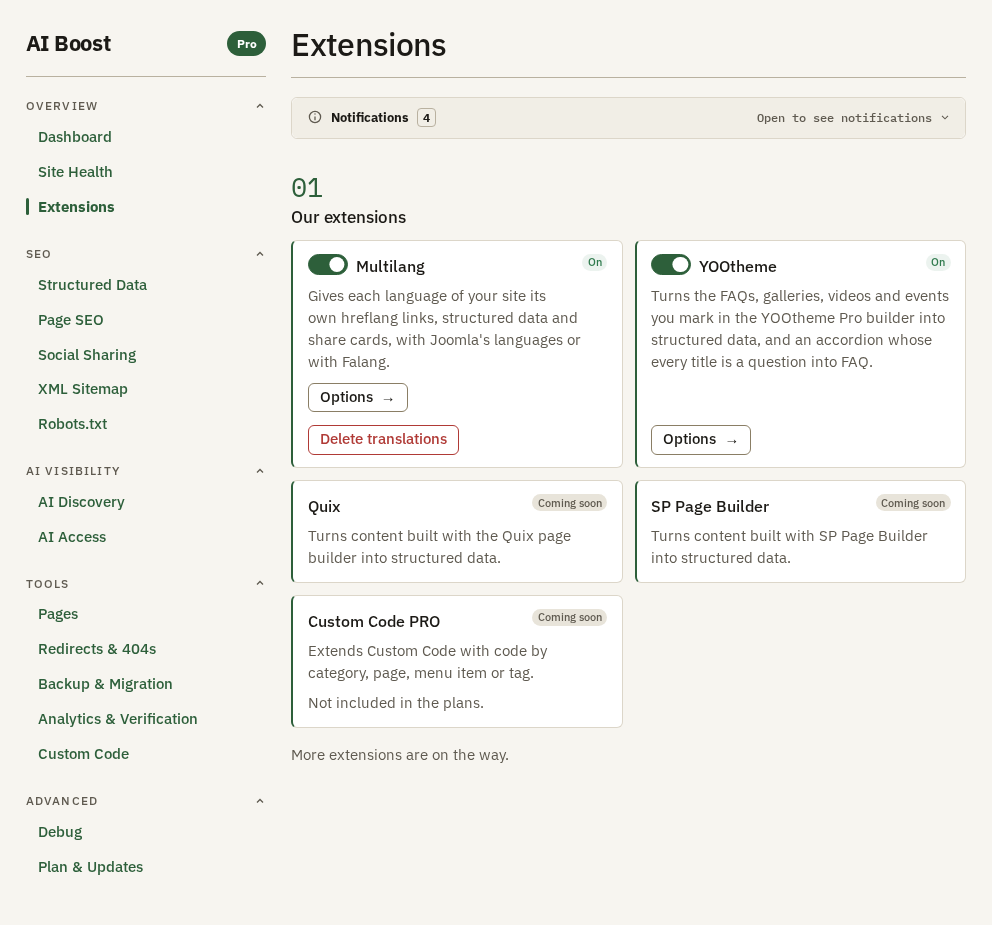
Switched off, Multilang is never loaded, so your site publishes exactly what it published before you switched it on. The translations you typed stay, and a settings file exported on Backup & Migration holds them whether Multilang is on or off.
Its one option
Options opens a page of its own, Multilang options, with one numbered section, Language links from another extension. It is there because Joomla's Language Filter plugin and Falang's language switcher module can write hreflang links of their own. Two sets in one head, with different addresses for one language, give a search engine two answers to the same question. So you choose which set stays.
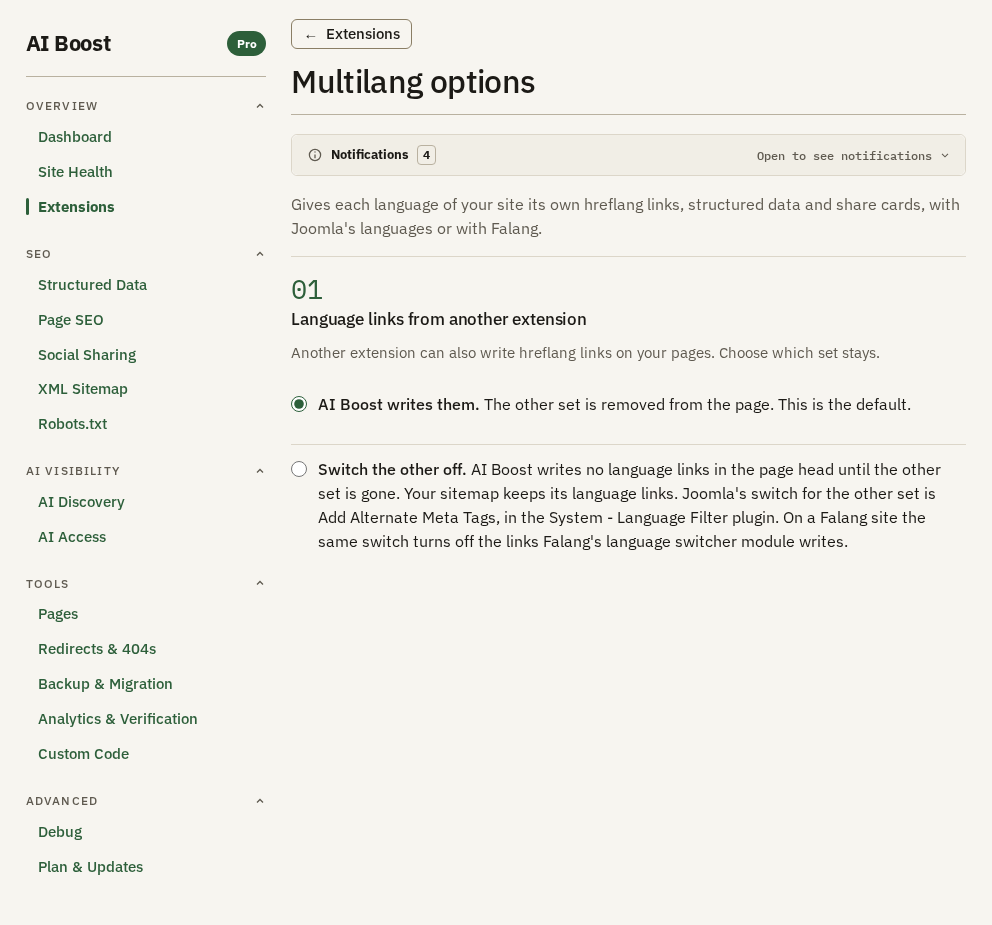
- AI Boost writes them. This is the default. AI Boost removes the other set from every page and writes its own. That includes a page Multilang writes no links for, which then carries none.
- Switch the other off. AI Boost writes no language links in the page head while the other set is there, and starts on the first request after it is gone. Your sitemap keeps its language links either way.
Keep the default unless something on your site depends on the other set. If you choose Switch the other off, turn the other set off yourself. In Joomla, that is Add Alternate Meta Tags in the Language Filter system plugin. On a Falang site, the same switch also turns off the links Falang's language switcher module writes.
What it changes on your pages
Once Multilang is on and the site publishes a second content language, AI Boost writes these. A page and its sitemap entry always carry the same set of addresses.
- In the page head, one hreflang link for every language version of the page, and an
x-defaultlink to the version in your site's default content language. A home page names the home page of every language. - In your share cards, one
og:locale:alternatefor each other language of the page. - In your sitemap, the same set of addresses on each entry. An item saved for All, and the home page, get one entry per language, each with that language's title and description. The AI files, such as
llms.txt, read those entries too. - In the structured data and the share card, the translated title and description of the article, category or contact a page is about, from the source its Language field names.
- In the text you typed into AI Boost, the translation for the page's language, where you gave one. That includes the publication name in the news sitemap.
A page that has no translation in its language shows the original text. There, inLanguage in the structured data names the original's language, and og:locale keeps the language the page is served in.
On a Falang site, an address is built from Falang's translated menu path, in the sitemap, on Pages and on its Check addresses tab alike. A menu path Falang translated only in part is left out, because that address does not answer.
Multilang names only what a guest may open. A translation that is Registered, scheduled, expired or in a category a guest cannot see appears in no hreflang link and no sitemap entry.
Language codes follow the standard search engines read. sr-YU is written as sr-Latn-RS, and every other tag keeps its letters in the standard's casing, such as en-GB. When Joomla's Language Code system plugin is enabled and renames a code, AI Boost writes your code, in the head and in the sitemap alike. A tag search engines do not accept is left out of every set, and Site Health names it.
Translate your own text
Some of what AI Boost publishes is text you typed into it, such as your organisation's name or a title template. While Multilang is on, a Translations toggle sits under each of those boxes. Open it and there is one box for every published content language except your site's default, each marked with that language's short code. A box you leave empty keeps the text you typed above it. The count beside Translations says how many languages are filled in.
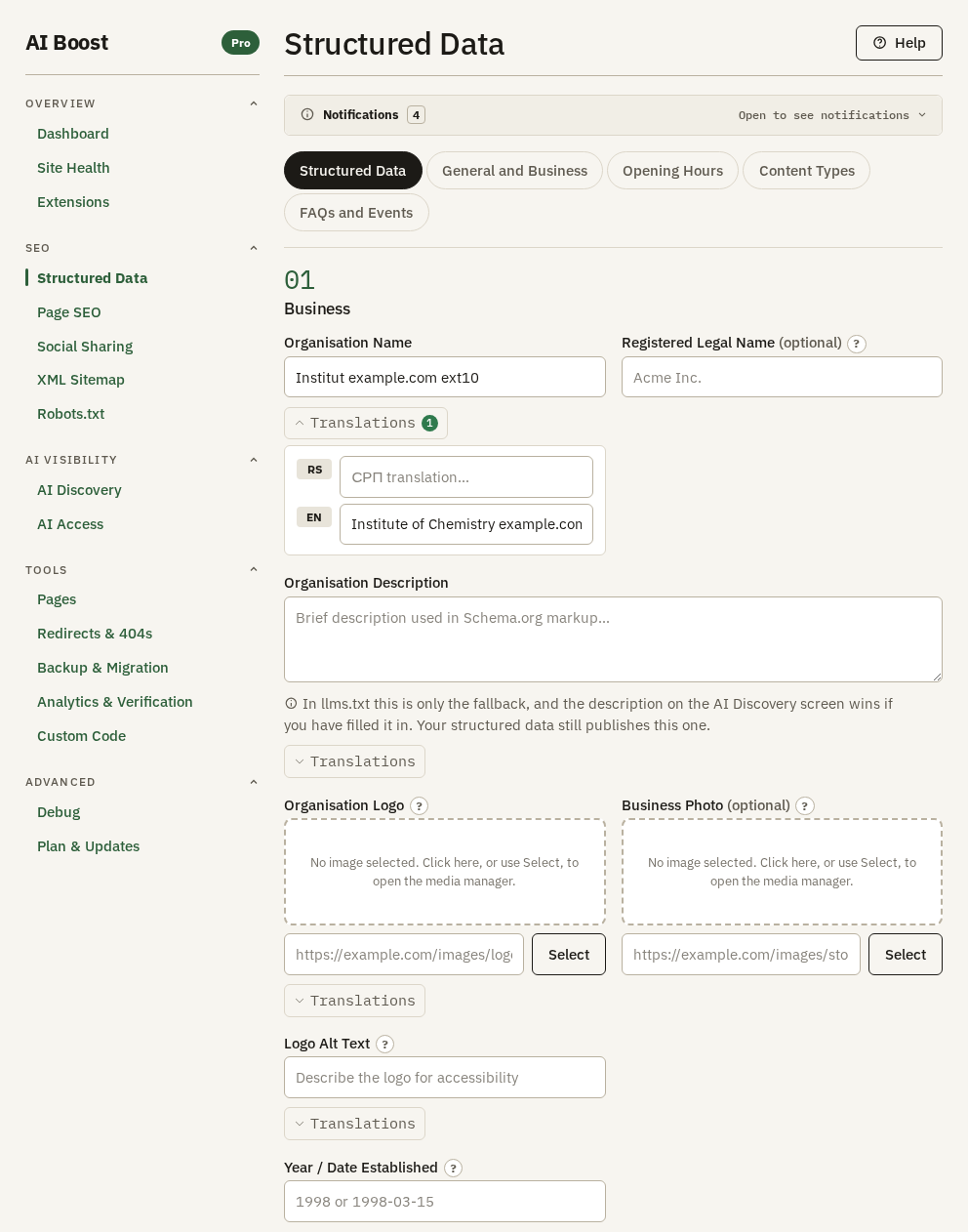
| Screen | Boxes with translations |
|---|---|
| Structured Data | Organisation Name, Organisation Description, Organisation Logo, Logo Alt Text, Street Address, City / Locality, Slogan / Tagline, Awards |
| Page SEO | Every box under Page Title Templates and Meta Description Templates |
| Social Sharing | OG Site Name, Default OG Description Override, Default OG Image, Default OG Image Alt Text |
| XML Sitemap | Publication name |
If no other content language is published, the list says "No other content language is published in Joomla." and links to Content Languages, where you add one.
Delete translations
Once any translation is saved, the Multilang card on Extensions carries Delete translations. It deletes every translation you typed, in every language, and cannot be undone, so the window asks first and offers Open Backup & Migration, where you export a settings file to keep a copy. When it is done, the screen says how many it deleted. Only a Super User can delete them. Remove all settings on Backup & Migration deletes them too.
What Site Health adds
While Multilang is off, Site Health carries a row named Multilang, marked Switched off, on a site that publishes more than one content language. It says "This site is set up for more than one language." and links to Extensions. On a site that publishes one content language but holds translations in Falang, the same row says "This site stores translations of its content."
While it is on, Multilang adds three rows of its own. Each shows only when there is something to say, marked Worth a look, with a link to Extensions.
- Language codes names a language tag search engines do not accept and Multilang cannot turn into one they do. That language is left out of the language links. Change its Language Tag in Joomla's Content Languages. The same row names a code set in the Language Code system plugin that search engines refuse, and points at that plugin.
- Language links says the page Site Health read carries two sets of language links, because another extension writes them too. Choose which set stays in Multilang's options.
- Translations in an unpublished language counts the translations you typed for a language your site no longer publishes, or under a tag no language in Content Languages carries, so no page shows them. Publish the language again, or give a language that tag, to show them. This row also links to Multilang options.
Check it on your site
Open a page in your second language and view its source. In the head, look for <link rel="alternate" hreflang="...">, one per language, and one with hreflang="x-default". Every address in them should open the same page in that language. Then open /sitemap.xml and find the xhtml:link lines under an entry. They list the same addresses. Run Site Health to see the rows above, and paste a translated page's address into a chat app to see its card in that language.