Features

Everything AI Boost adds to your Joomla site

AI Boost writes the structured data, the sitemap, the social tags and the AI signals that search engines and AI assistants read. You set it up in one admin component, without code.

  • Joomla 5 and 6
  • PHP 8.1 to 8.5
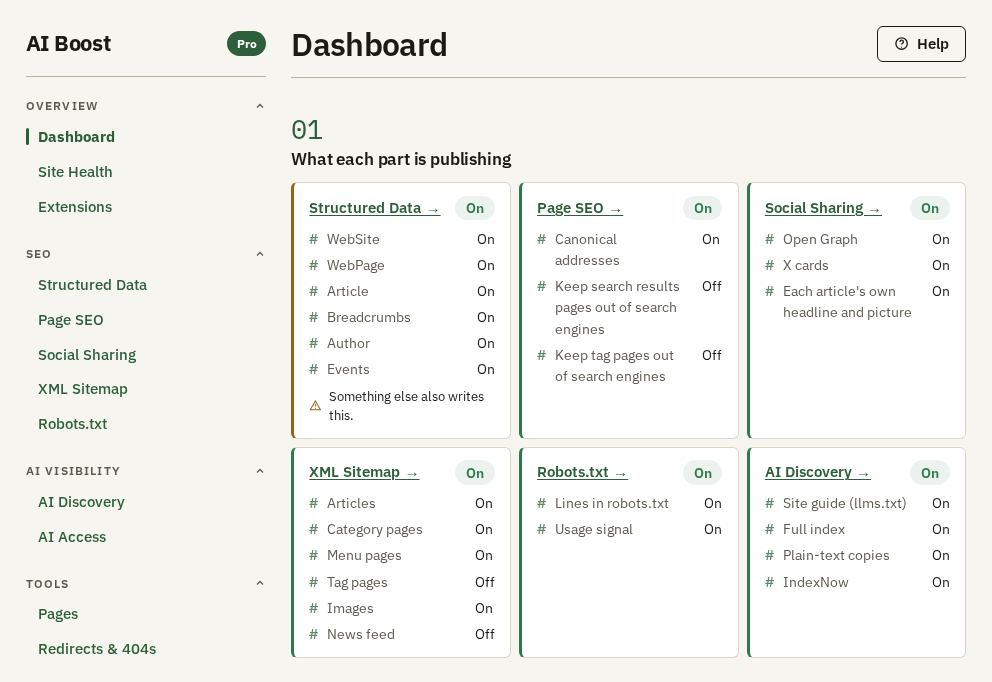
The AI Boost Dashboard, one tile for each part it publishes

Capabilities

Ten areas, one admin component

Everything visitors see starts switched off, and you switch on what your site needs. Every plan has every area, and a part that needs an extension says so. A line marked Needs an activated site works once that site is activated with your licence key, and keeps working after the licence expires, in the version the site has then.

Built for AI search

AI visibility (AEO)

AI Boost publishes llms.txt, Markdown copies of your articles, categories and tag pages, and your AI usage preferences in a form machines read. An AI agent that looks for them finds a map of your content and does not have to guess from the page.

  • /llms.txt with your description, recent articles and menu pages
  • A Markdown copy of each article, category and tag page Needs an activated site
  • /llms-full.txt with the text of your articles, up to a number you set Needs an activated site
  • IndexNow submission
  • A Content-Signal line in robots.txt that states how your content may be used
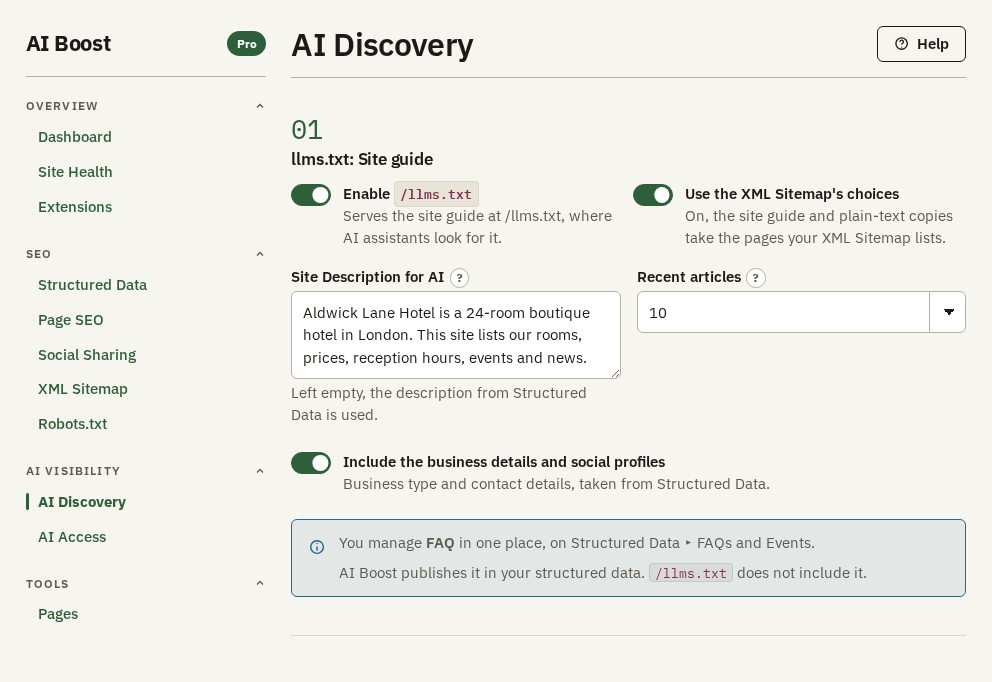
The AI Discovery screen with the llms.txt settings
The llms.txt settings, with the site description AI agents read.

Schema.org structured data

Choose your site type from 36 Schema.org types, and AI Boost asks for the details that type needs, for a restaurant, a hotel, a clinic or a law firm. Each page gets one JSON-LD graph.

  • Organization and LocalBusiness types
  • WebSite and Article schema
  • Opening hours, day by day, with holidays and special days
  • Breadcrumbs
  • The other 34 site types, such as hotel, restaurant, clinic and law firm Needs an activated site
  • FAQPage and Event schema Needs an activated site
  • Authors as Person entities Needs an activated site
  • Services and more business details
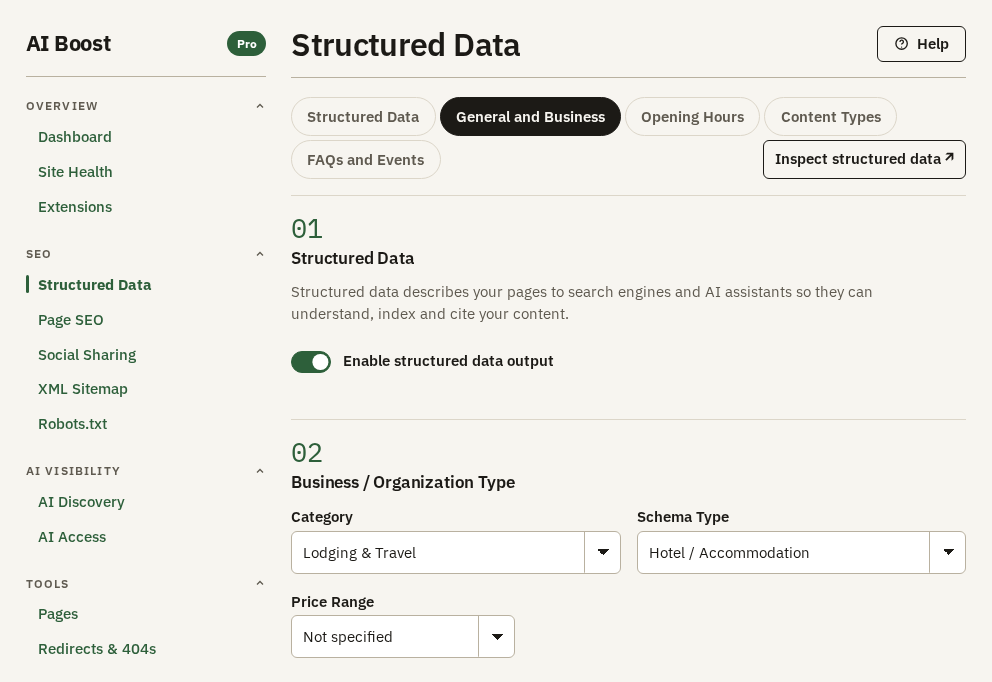
The Structured Data screen, set up for a hotel
Choose the business type, then fill in what it asks for.

Titles and technical SEO

Set how titles and meta descriptions are built, give every page a canonical address, and see when another extension writes the same tags.

  • Title and meta description templates
  • A canonical URL on every page, pointing at itself
  • Detects another extension writing the same output
  • A canonical URL map that sets the canonical address for a path and the pages under it Needs an activated site
  • A per-page noindex list, for single addresses you ask search engines not to list Needs an activated site
  • AI and search snippet controls (nosnippet, max-snippet) Needs an activated site
  • 301 redirects, with a log of 404s
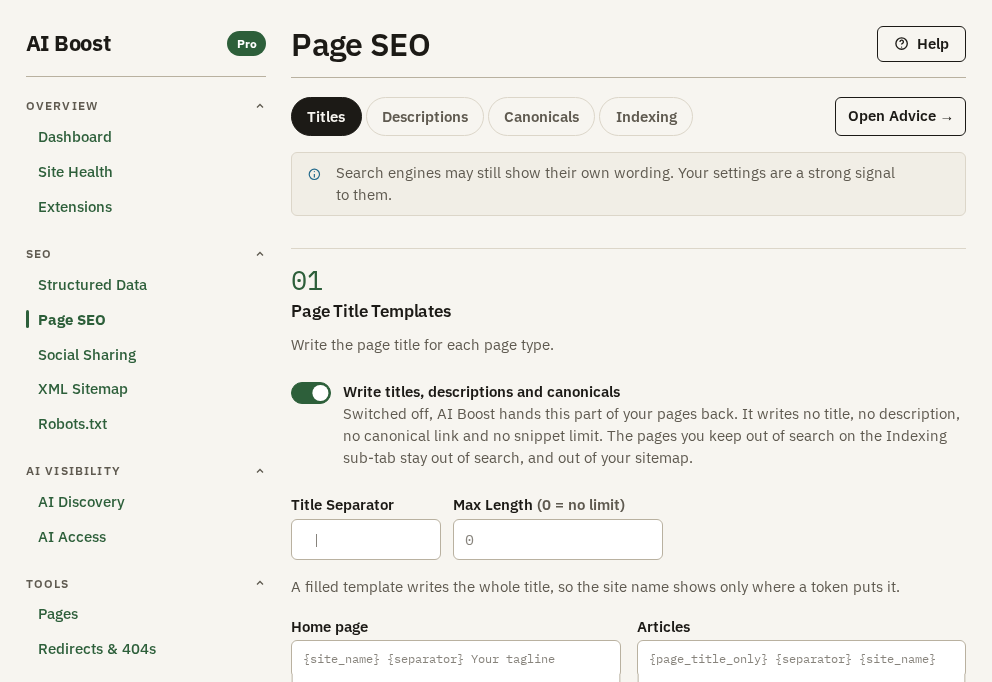
The Titles tab of the Page SEO screen

XML sitemap

Built from your published content and updated as it changes. You submit it to search engines once.

  • Articles, categories and menu items
  • A sitemap index above 2,000 URLs
  • Image entries Needs an activated site
  • Google News entries and tag pages
  • How many addresses go in each sitemap file, and single pages you leave out on the Pages screen
  • hreflang links, with Multilang, included in every plan
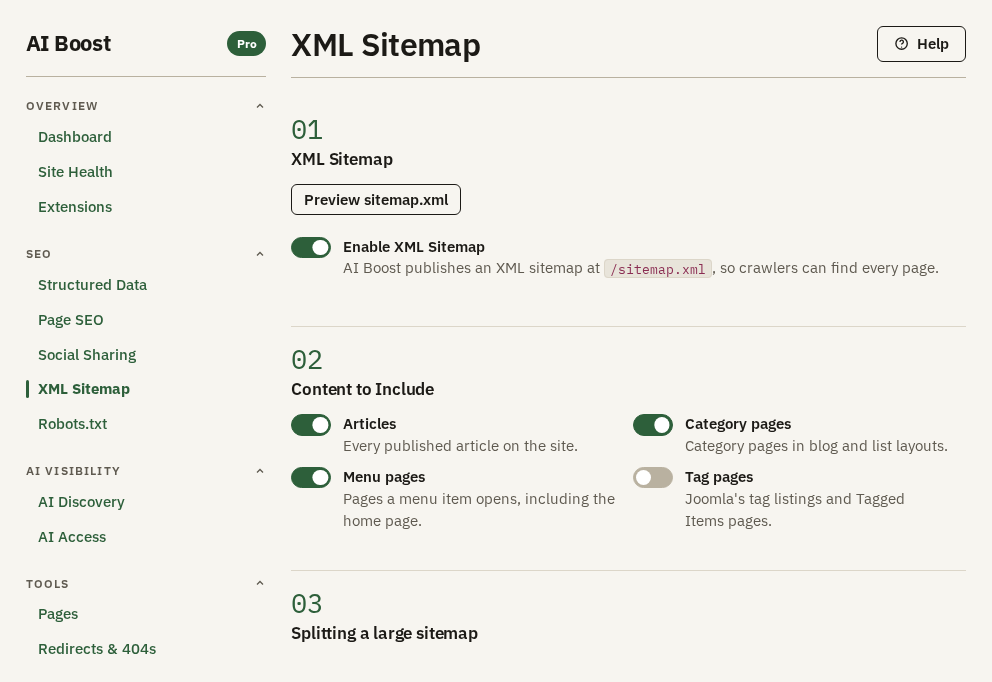
The XML Sitemap screen

Social sharing

OpenGraph and X cards on every page, so a shared link shows the right image, title and description.

  • OpenGraph and X cards
  • An article with no share image chosen uses the image already in it
  • A share image, title and description an editor sets per article and category Needs an activated site
  • Articles shared as articles, with og:type article Needs an activated site
  • Facebook App ID and X handle
  • og:locale Needs an activated site
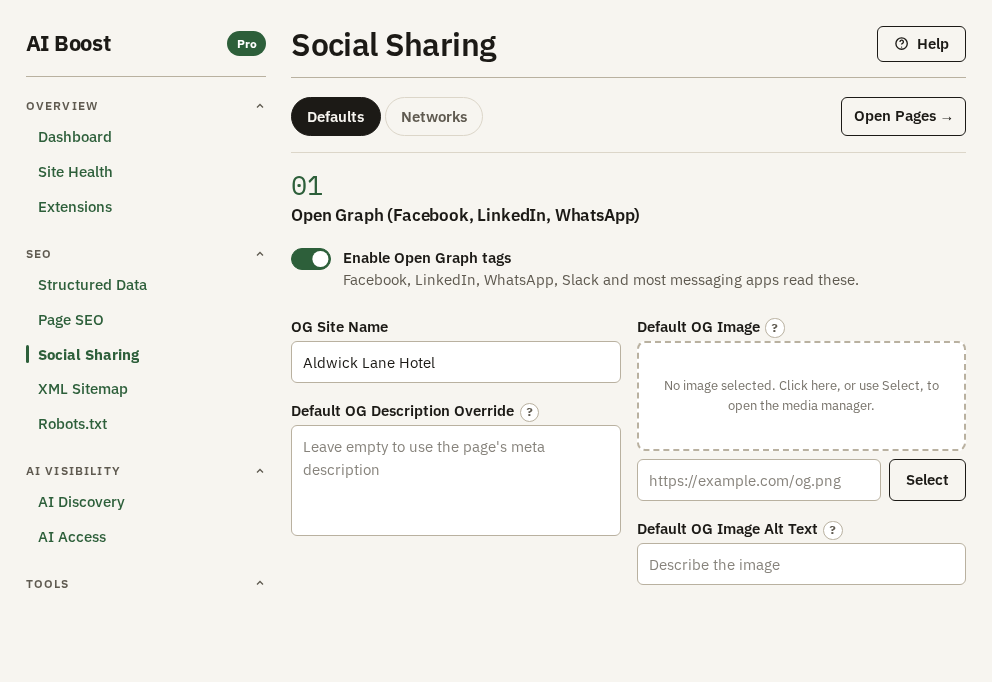
The Defaults tab of the Social Sharing screen

Analytics and verification

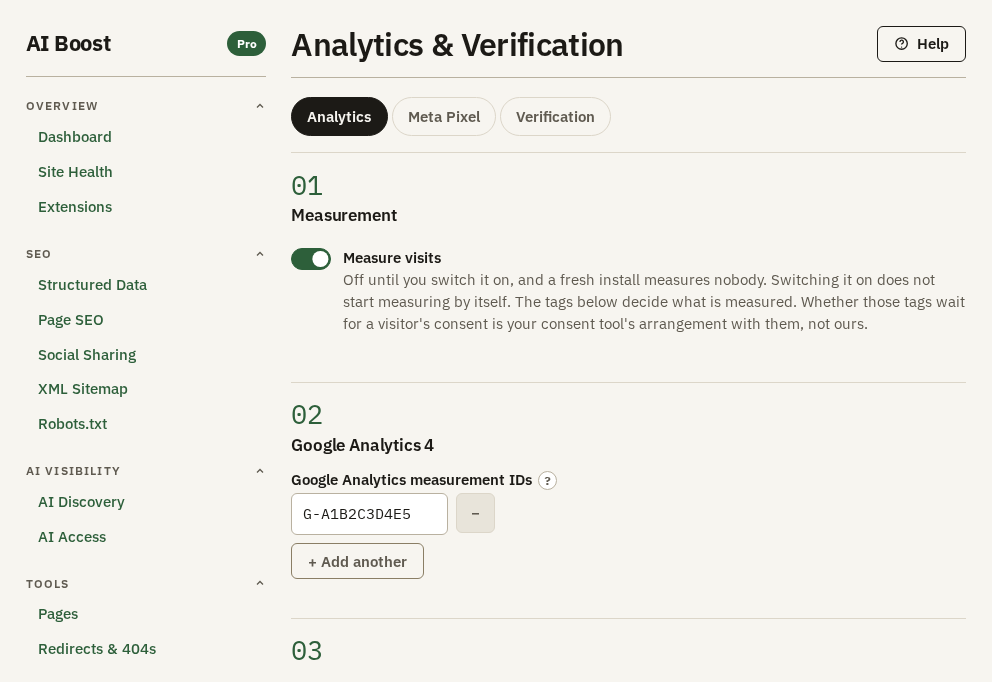
Add your tracking and verification tags on one screen, without editing the template or installing another extension.

  • Site verification for Google, Bing and Facebook
  • Google Analytics 4
  • Google Tag Manager
  • Meta Pixel with standard and custom events
The Analytics tab of the Analytics & Verification screen

Crawlers and robots.txt

AI Boost keeps its own section of your robots.txt and leaves your lines alone. It switches robots.txt on when you install or update, so AI search and answer crawlers can read your site. Block is a request in robots.txt. Honest crawlers follow it; a firewall stops the rest.

  • robots.txt kept in step with your settings
  • Allow or block 25 AI crawlers one by one
  • Block 12 SEO scrapers with one button
  • The AI Access screen reads robots.txt crawler by crawler and says which AI crawlers it lets in
  • A Problem on AI Access when Googlebot or Applebot is blocked, or a page asks for nosnippet or noarchive
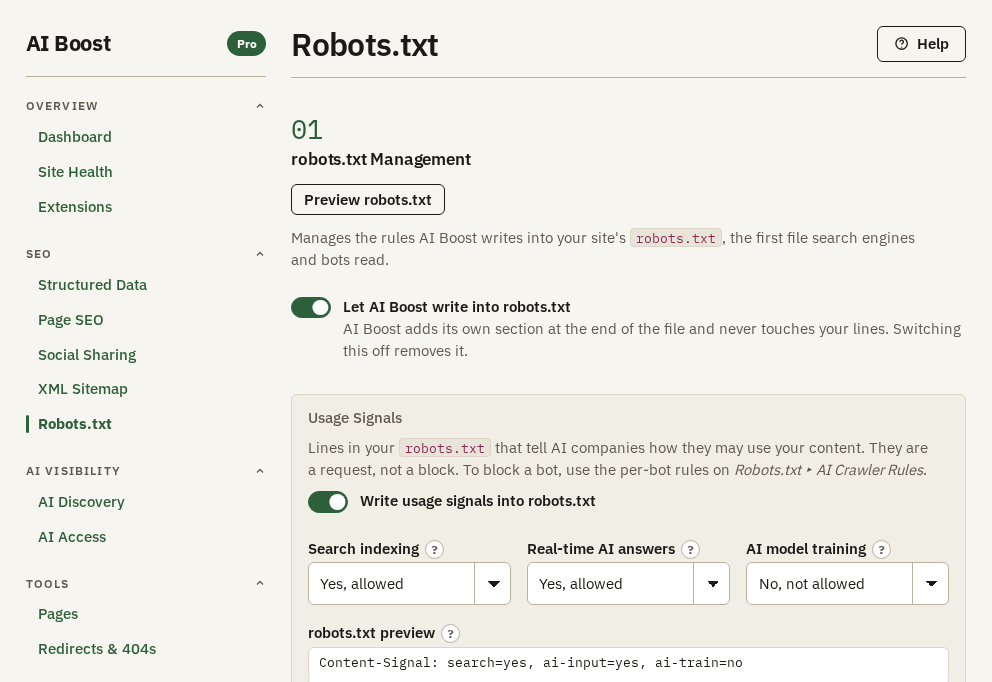
The Robots.txt screen
AI Boost writes its own section of robots.txt and leaves your lines alone.

Custom code

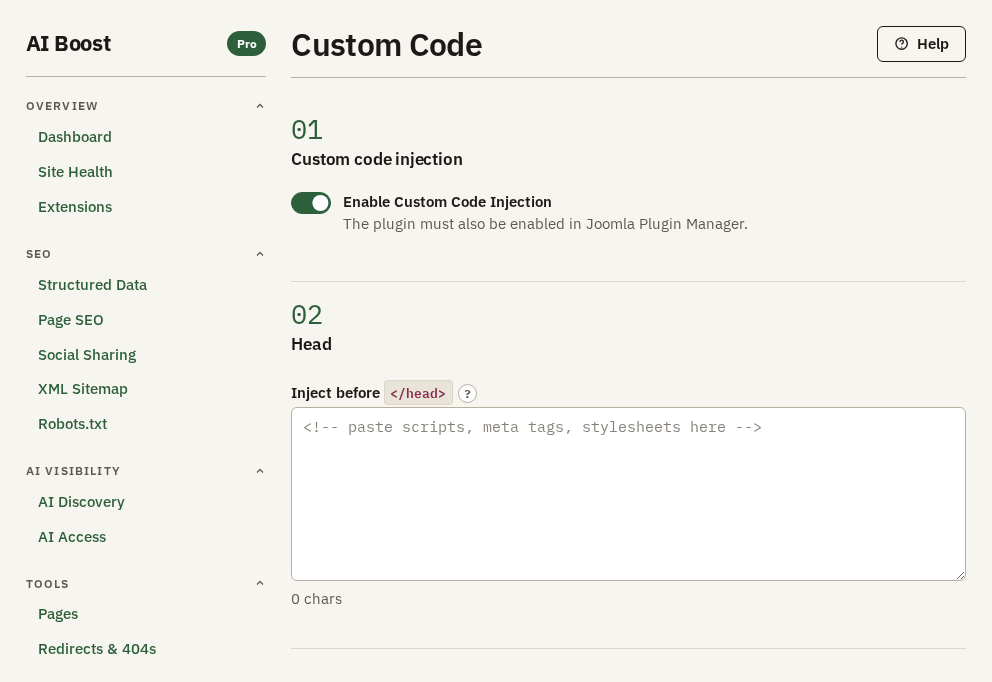
Add your own snippets to every page without editing template files.

  • Before the head closes, after the body opens, before the body closes
The Custom Code screen

Tools in the admin

Screens for checking what AI Boost publishes and for moving your settings.

  • Site Health fetches your live site and reports what arrived
  • Dashboard, where one switch, Publish nothing at all, stops everything AI Boost publishes
  • Backup & Migration exports and imports your settings
  • Redirects & 404s, with 301 redirects and a 404 log
  • Pages, with the Overview, Site read, Advice and Check addresses tabs
  • Check addresses, for one address or a list, with its Google, Share and Code panes
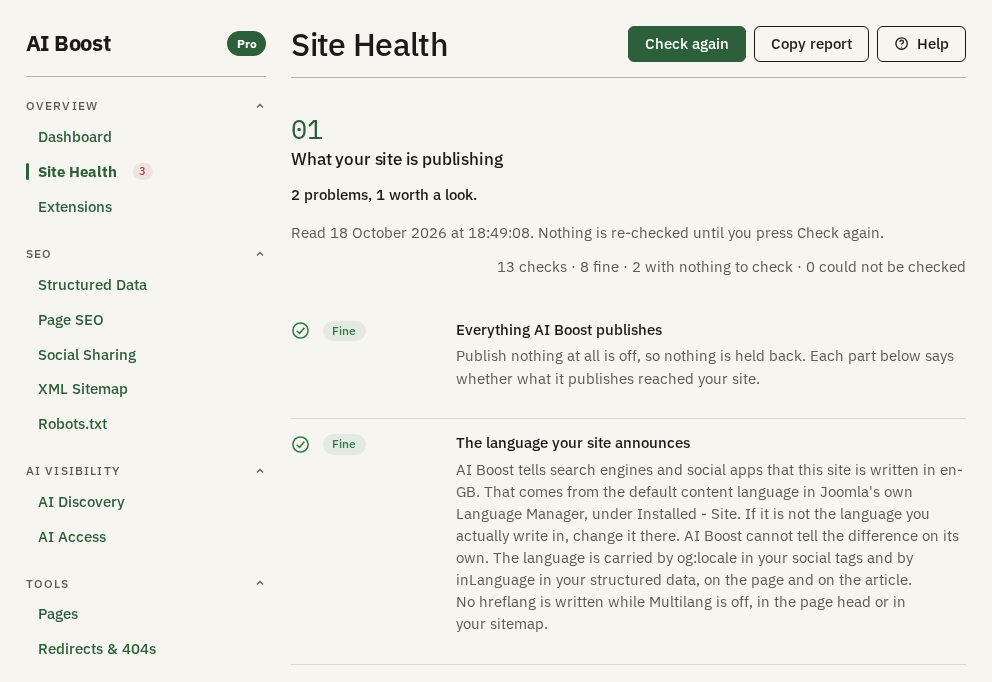
The Site Health report
Your server fetches your home page, robots.txt, sitemap and llms.txt, and reports what arrived.

Extensions

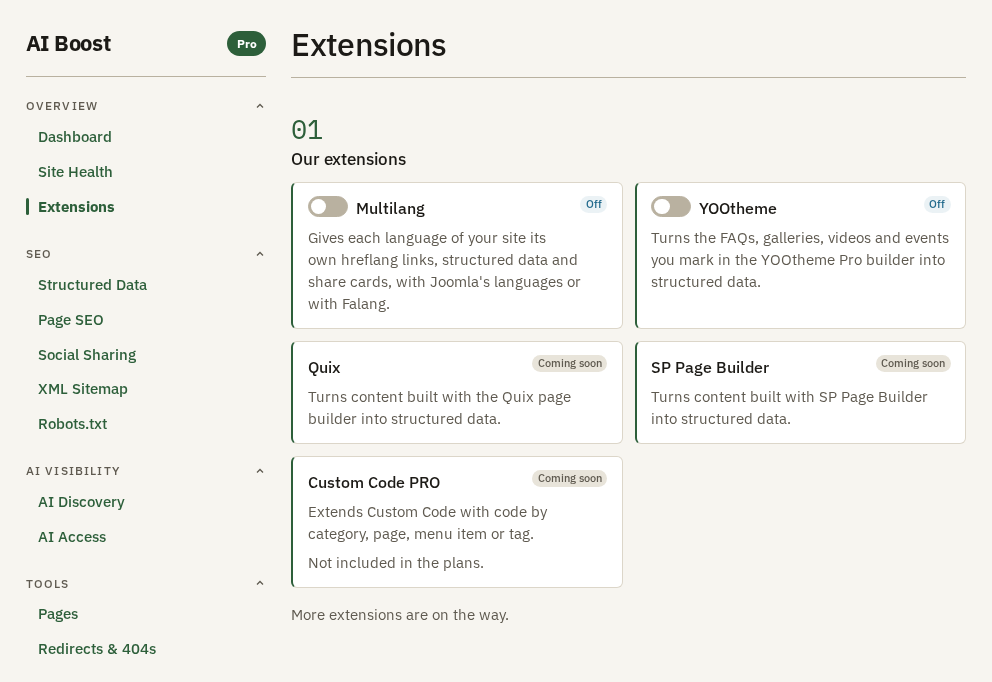
Extensions for the Joomla tools you already build with. More are on the way.

  • The Multilang extension gives each language of your site its own hreflang links, structured data and share cards, with Joomla's languages or with Falang. Included in every plan.
  • The YOOtheme extension turns the galleries, videos, events and FAQs you mark in the YOOtheme Pro builder into structured data, and an accordion whose every title is a question into FAQ. Included in every plan.
  • The Quix extension will turn content built with the Quix page builder into structured data. Coming soon.
  • The SP Page Builder extension will turn content built with SP Page Builder into structured data. Coming soon.
  • The Custom Code PRO extension will extend Custom Code with code by category, page, menu item or tag. Coming soon. Not included in the plans.
See the extensions
The Extensions screen, with a switch for Multilang and one for YOOtheme. Three more extensions are coming soon.

Plans

Plans differ by sites only

Every plan has every feature. You choose by how many sites you run.

Compare plans

Add AI Boost to your Joomla site

Get AI Boost

Questions? Write to [email protected]