

All docs
AI Discovery
An AI assistant that wants to understand a site quickly does not want your menus, your cookie banner or your scripts. It wants the words. AI Discovery gives it the words at addresses it knows to look for, and tells the search engines that listen the moment you publish or change an article.
It is the first screen under AI Visibility in the sidebar, and it has four numbered sections.
Be clear about what this does and does not buy. llms.txt is a young convention. Google has said publicly that it does not use it, and no search engine has said that it does. It costs one switch and may help an assistant find the right page. It will not move you up any list of results.
llms.txt, the site guide
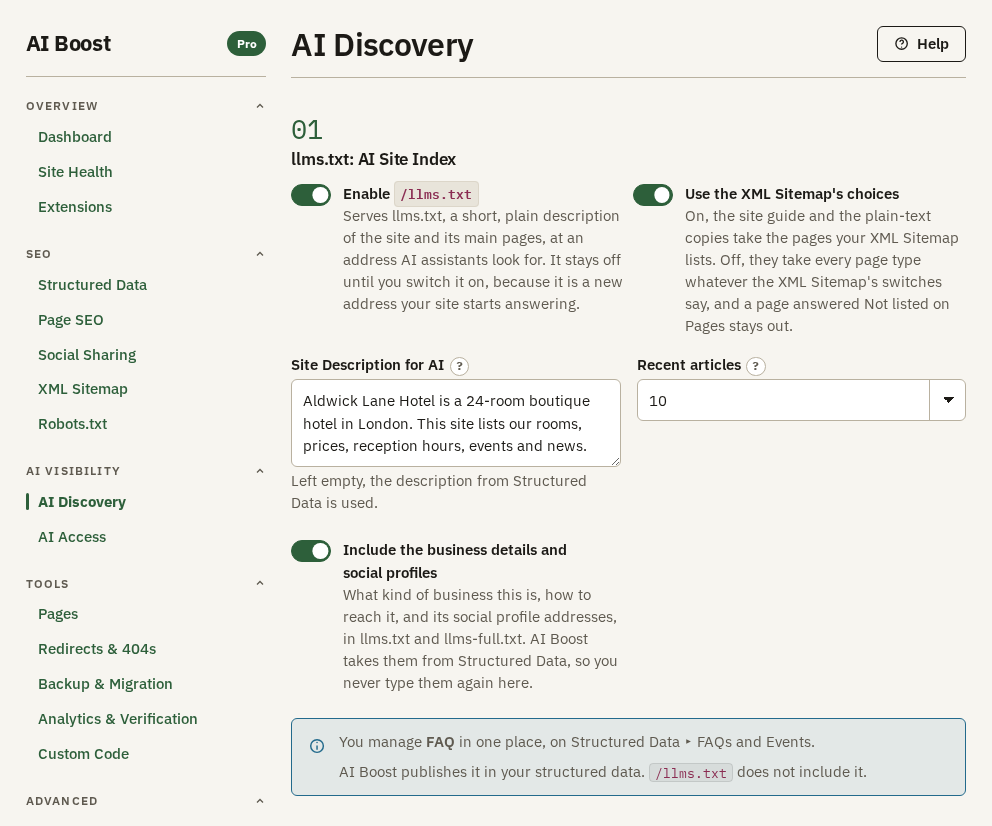
Enable /llms.txt is off when you install, because it is a new public address. Switch it on and your site answers /llms.txt with a short plain description of the site and a list of its main pages.
Site Description for AI opens the file. Write it as a flat statement of what the site is and who it is for, not a strapline. The hotel's reads "Aldwick Lane Hotel is a 24-room boutique hotel in London. This site lists our rooms, prices, reception hours, events and news." Left empty, the description from Structured Data is used.
The file lists your home page and your menu pages, as long as the XML Sitemap lists menu pages or Use the XML Sitemap's choices is off. Recent articles adds your most recently changed articles, up to the number you choose. Include the business details and social profiles adds what kind of business this is and how to reach it, taken from Structured Data, so you never type it twice.
Use the XML Sitemap's choices is on when you install. It makes the site guide and the plain-text copies take the kinds of page your sitemap lists. Switched off, they take every kind of page. Either way, a page set to Not listed on Pages stays out.
The hotel's file, shortened:
# Aldwick Lane Hotel

> Aldwick Lane Hotel is a 24-room boutique hotel in London. This site lists our rooms, prices, reception hours, events and news.

> Base URL: https://example.com

## Pages

- [Home](https://example.com/home)
- [Contact Us](https://example.com/contact-us)

## Recent content

- [First Blog Post](https://example.com/park-blog/first-blog-post.md)

## About

- Type: LodgingBusiness
- Country: GB
- Telephone: +44 20 7946 0321
FAQs are not in this file. They are published once, in your structured data, from Structured Data, sub-tab FAQs and Events.
llms-full.txt, the full index
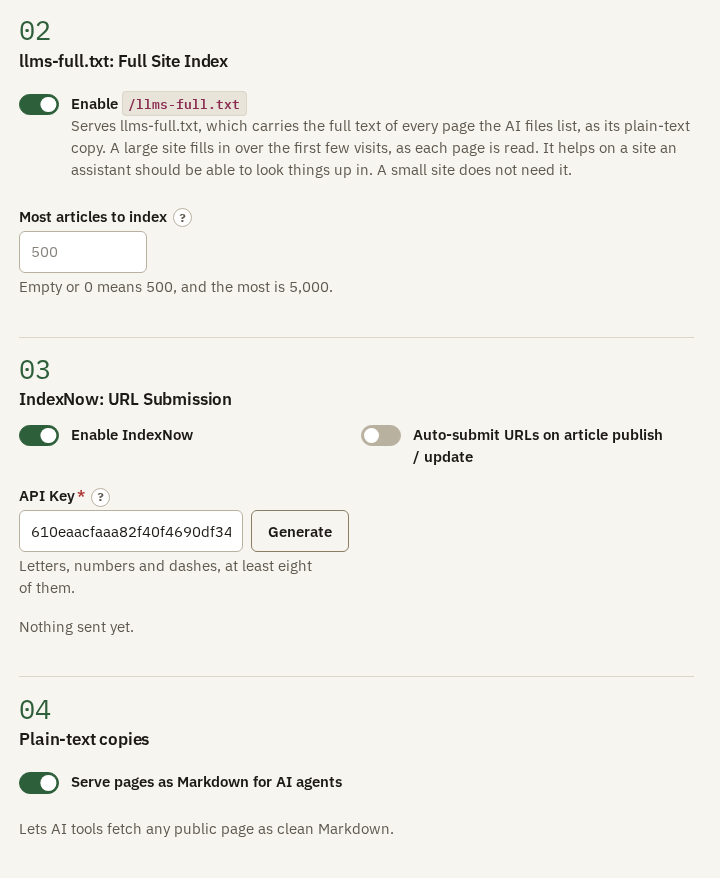
Enable /llms-full.txt serves a second file that lists every page the AI files draw on, grouped, with the full text of each article, category and tag page. It helps on a large reference site, where an assistant needs to look up one specific page. A small site does not need it.
Most articles to index caps how many articles it holds, 500 when the box is empty and 5,000 at most. A large site fills the file in over its first few visits, as AI Boost reads each page, and after that it reads a page again when the page changes, when you change a setting, and once its copy is seven days old.
IndexNow
When you publish an article, a search engine finds out on its next visit, which may be days away. IndexNow tells the engines that share it, Bing, Yandex, Seznam and others, the moment you publish or change an article. Google does not take part.
- Switch on Enable IndexNow.
- Press Generate beside API Key. AI Boost fills in a random key, and your site starts answering it at
/<your key>.txt, which is how an engine knows the submissions come from you. - Switch on Auto-submit URLs on article publish / update.
From then on, every article you publish or change is sent the moment you save it. With the key empty, or auto-submit off, nothing is sent. The screen says when the last address went out.
IndexNow sends your addresses to a third party, which is why it stays off until you switch it on. It asks for a visit and does not guarantee one.
Plain-text copies
Serve pages as Markdown for AI agents gives each article, category and tag page the AI files draw on a second address with .md on the end, holding the same words with the design, menus and scripts taken out. With Use the XML Sitemap's choices on, tag pages get no copy until the sitemap lists them. The hotel's jazz article is at /park-blog/first-blog-post.md. Your structured data comes along in the copy, as code blocks.
Each copy tells search engines not to index it, so the same words at two addresses never compete. The normal page carries one line in its head naming its copy, so an assistant finds it without guessing. Shortened, it reads:
<link rel="alternate" type="text/markdown" href="https://example.com/park-blog/first-blog-post.md">With this switch on, the site guide links the copy of each article, category and tag page instead of the page itself.
Check it on your site
Open /llms.txt on your domain, and add .md to the address of any article. Site Health reads /llms.txt, and checks that an article carries the link to its copy.