

All docs
AI Access
An AI assistant can only answer from your site if its crawler can fetch your pages. Several things can stop it, and most of them are invisible from the front of the site. A line in robots.txt that another extension or a past developer wrote. An instruction your server attaches to every reply. A noindex left on the home page after a redesign. AI Access looks for each of these and reports what it found. It changes no setting and gives no score. Its request for your home page is a visit like any other, so AI Boost may bring its own section of robots.txt up to date at that moment.
It is the second screen under AI Visibility in the sidebar, after AI Discovery. You decide which crawlers may come in on Robots.txt. This screen reads the file back and tells you what it says, including the lines AI Boost did not write.
Run the check
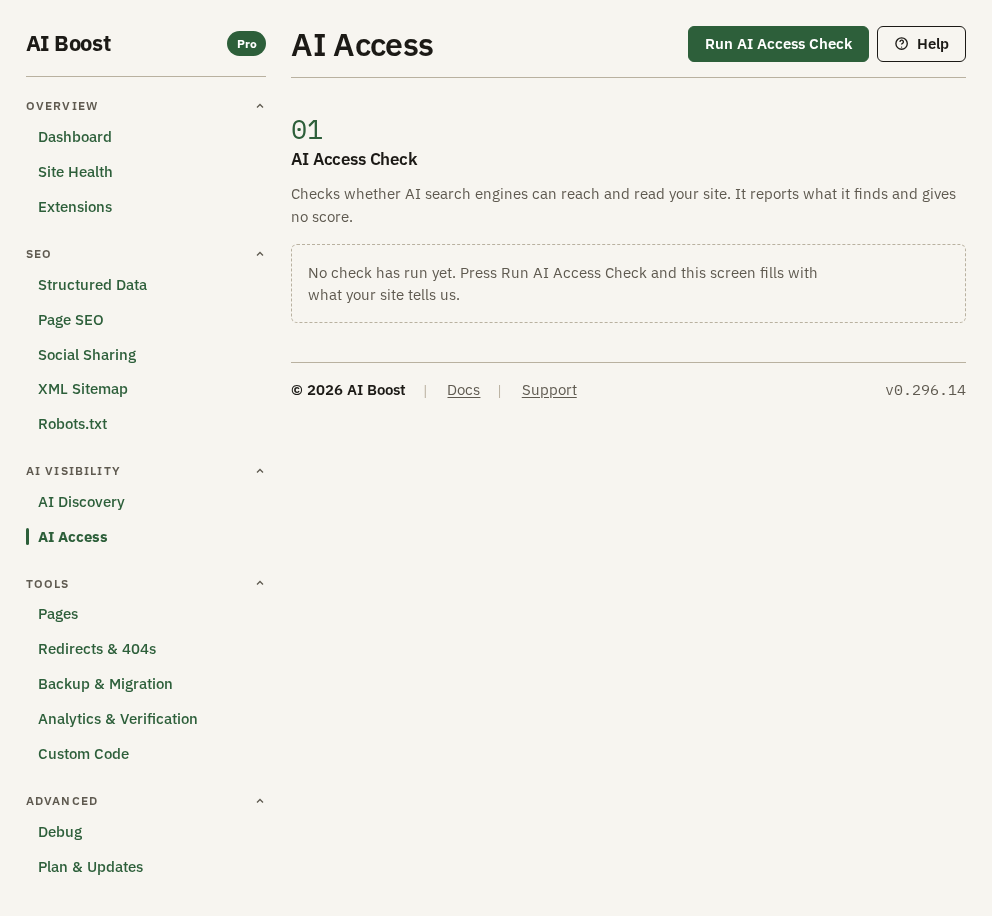
The screen stays empty until you press Run AI Access Check at the top right. AI Boost then reads the robots.txt file in your site's folder, and your server requests its own home page. It takes a few seconds. Two more sections appear under AI Access Check once it has run.
The result stays on the screen until you press the button again. AI Boost keeps no copy of it, so after you reload the administrator the screen starts empty. Run it again after you change anything on Robots.txt or Page SEO, and after any change on your server.
AI Boost rewrites its section of robots.txt when someone next opens a page of your site, and the check reads the file before it requests the home page. So after a change on Robots.txt, open any page of your site first, or run the check twice.
The first line of the result names the address that was fetched and the time. Look at it before you read on. A check run on a test copy of the site says nothing about the live one.
Under that line, four counts add up the rows of the next section by their state. The crawler table at the bottom is not part of them.
Access signals on your home page
This section has seven rows, and each ends in Fine, Problem or For information.
| Row | What it looks at | When it reads Problem |
|---|---|---|
| Your home page can be fetched | Whether your server could load its own home page | The request failed, or your server answered with an error such as 403 or 500 |
| You serve a robots.txt | Whether the file exists | Never. With no file every crawler may come in, and the row reads For information |
| AI search crawlers | The crawlers behind AI search and answers, such as OAI-SearchBot and PerplexityBot | Any of them is blocked |
| Crawlers that fetch a page for a person | ChatGPT-User and Claude-User | Either one is blocked |
| Crawlers that collect training data | The crawlers that collect pages to train models, such as GPTBot and ClaudeBot | Never. A block here is your choice to make, and the row reads For information |
| Indexing directives in the response headers | An X-Robots-Tag header on the reply your server sends with the home page | It asks for noindex or none |
| Indexing directives on the page itself | The robots meta tag in the home page's head | It asks for noindex or none |
A directive that asks for something else, such as nosnippet, reads For information and shows the value it found.
The header row is the one to read closely. A header never appears in the page source, so a noindex your server sends this way is hard to spot by viewing the page.
If the first row fails, the two directive rows cannot look at the page and say so. A failure there often means a firewall stops your server from requesting its own pages. That says little about what a crawler from outside sees, so check the site from another network before you change anything.
The AI search row does not ask who wrote a block. If you blocked PerplexityBot on Robots.txt yourself, the row still reads Problem, because that crawler cannot read your home page. The crawler table below marks the same crawler as your own decision.
AI crawler access
This section lists every crawler AI Boost knows, the 17 AI crawlers and the 12 SEO tools from Robots.txt. A line above the table says how many are blocked and names them.
Each row has a Verdict:
- Allowed. Nothing in the file keeps this crawler off your home page.
- Blocked by you. The rule sits in the section AI Boost writes, so the row reports your own answer on Robots.txt back to you.
- Blocked. A line AI Boost did not write keeps it out.
The verdict is for your home page. A crawler kept out of one folder alone still reads Allowed here.
The Crawler column gives the name a crawler sends when it asks for a page, and the company behind it. Show the rule opens a row. It names the group in your robots.txt that governs this crawler, says whether AI Boost wrote the rule, and shows the line that decided it when there is one. A crawler with no group of its own follows the * group, and the row says so.
A worked example
The Aldwick Lane Hotel blocks GPTBot on Robots.txt and allows everything else. On Crawlers that collect training data its check names GPTBot and reads For information. In the table, GPTBot reads Blocked by you, and Show the rule opens this:
User-agent: GPTBot → Disallow: /Say another extension later adds these lines to the top of the hotel's file:
User-agent: PerplexityBot
Disallow: /
The next check reads Problem on AI search crawlers, with PerplexityBot named, and the table shows PerplexityBot as Blocked. Show the rule says AI Boost did not write that rule. AI Boost never edits lines outside its own section, so you remove those two lines yourself, or switch the setting off in the extension that wrote them.
Check it on your site
Open /robots.txt on your domain in a browser. AI Access reads the file in your site's folder, so if the browser shows something different, a cache or your host is serving another copy. Clear the cache and run the check again.